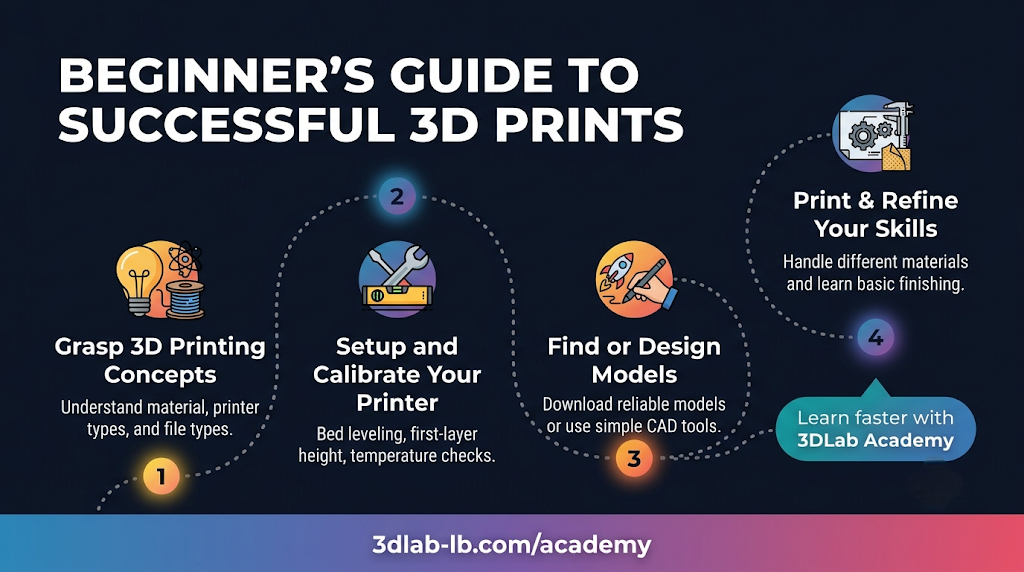
3D printing looks intimidating from the outside — a wall of jargon, settings, and machines. It isn't. Like anything, it's a handful of core ideas learned in the right order. Here's the roadmap we'd give anyone starting out, plus the fastest way to actually get good at it.
Stage 1: Understand what's really happening
Before touching a printer, it helps to grasp the basic idea. A 3D printer builds an object one thin layer at a time, melting plastic filament and laying it down in the shape of each cross-section, bottom to top. Almost everything else — strength, finish, speed, cost — comes from how those layers are made.
Three concepts carry you a long way:
- The model — the digital 3D file (usually an STL) that describes your object.
- The slicer — the software that cuts the model into layers and generates the printer's instructions, where you set things like layer height and infill.
- The material — the filament, which determines how the finished part behaves.
Learn these three and the rest starts to click.
Stage 2: Learn to choose settings
Once you know the pieces, the next skill is making trade-offs. A few settings do most of the work:
- Layer height (resolution): thinner layers look smoother but take longer.
- Infill: how solid the inside is — more infill means a stronger, heavier, slower print.
- Supports: temporary scaffolding for overhangs, removed after printing.
- Material choice: the difference between a part that lasts and one that fails. (See our guide to PLA vs PETG vs ABS vs ASA.)
You don't need to master these overnight — but understanding why each one matters is what separates guessing from designing.
Stage 3: Get a model to print
You have three routes, from easiest to most powerful:
- Download a ready-made model from a free library — great for your first prints.
- Design your own in beginner-friendly CAD software like Tinkercad, then move up to Fusion 360 as you grow.
- Scan a real object to reproduce or modify it.
Whichever route you take, our guide on preparing your STL file will help you avoid the common first-timer mistakes.
Stage 4: Print it — the smart way to start
Here's the honest truth: you can learn all of this with a printer at home and by getting parts made professionally while you learn. Many people start by having their designs printed for them — seeing how a well-made part turns out teaches you what to aim for. You can upload any model to our instant quote, choose settings, and get a finished, high-quality part without owning a machine yet.
The fastest way to learn: don't go it alone
Self-teaching from scattered videos works, but it's slow and full of dead ends. The quickest path from curious to confident is structured, hands-on learning with someone who can answer your questions in real time.
That's what 3DLab Academy is for. We run courses, live sessions, and in-person classes in Beirut that take you from the fundamentals through designing and printing your own parts — compressing months of trial-and-error into guided, practical lessons. Whether you're a student, a hobbyist, an engineer, or a business wanting to bring a skill in-house, there's a path for you.
Start where you are
If you're brand new, the best first step is simply to begin: print something, learn how it turned out, and build from there. Browse our Academy courses to learn properly and fast — or if you just need a part made today, our instant quote is one upload away.
3DLab Engineering — Hamra, Beirut. New and not sure where to start? Ask us at [email protected] or +961 03 138 224 — we're happy to point you in the right direction.