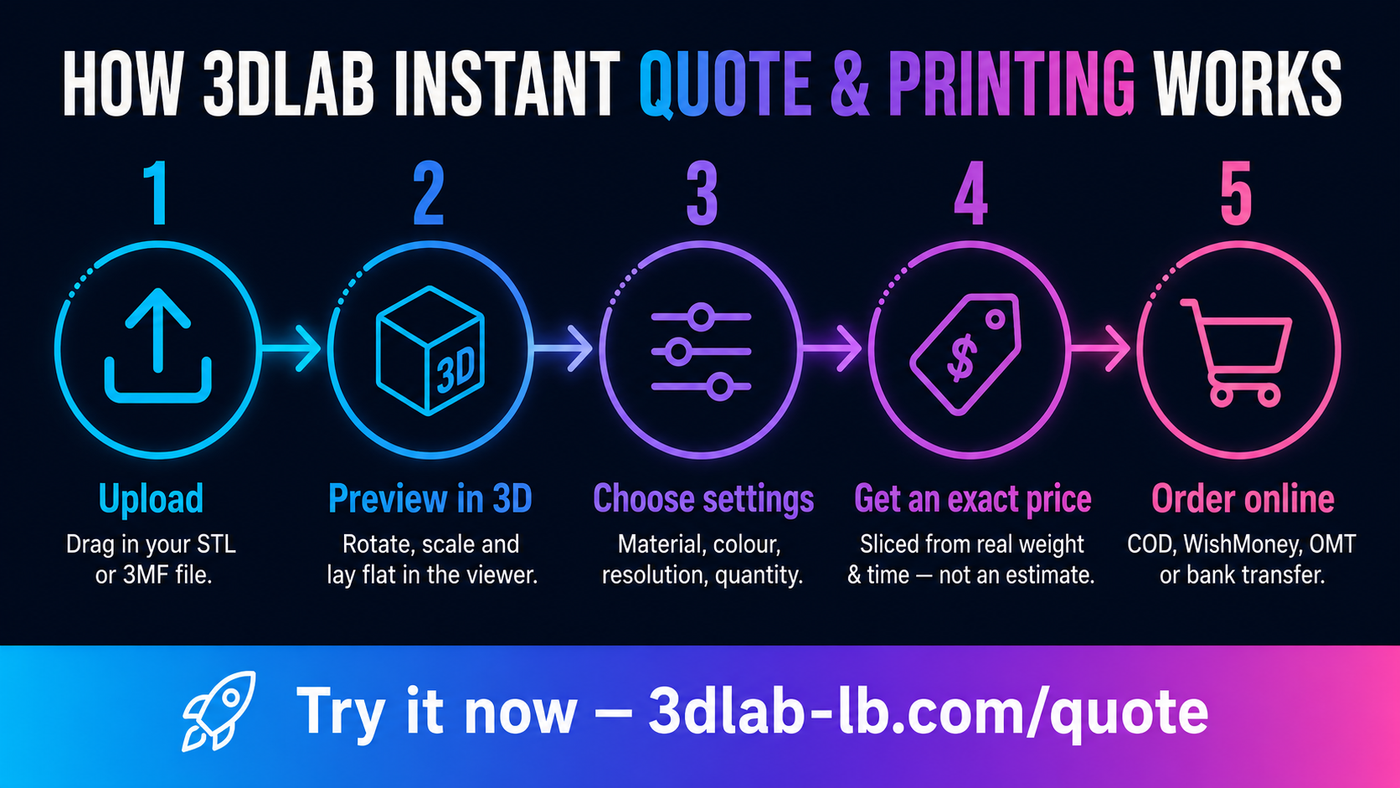
Getting something 3D printed shouldn't mean back-and-forth emails, vague estimates, and waiting days just to learn the price. At 3DLab, you upload your file and see an exact price in seconds — then order online. Here's how the whole thing works, start to finish.
Step 1: Upload your file
Head to our instant quote page and drag in your .stl or .3mf file. It loads straight into a 3D viewer in your browser, so you can see exactly what you're about to print — no software to install.
Right away you'll see the real dimensions in millimetres. This alone catches the most common ordering mistake: a model that was accidentally scaled wrong. If the size looks off, you'll know immediately.
Step 2: Position and adjust in the viewer
The viewer isn't just a preview — it gives you slicer-like control. You can orbit and examine the model, rotate it, lay it flat on the bed, and resize it with live millimetre dimensions updating as you go. However you place it, that's the orientation we print — the adjusted model is what gets sliced, so what you see is what you get.
Step 3: Choose your settings
Next you pick how it's made. In Normal mode you set the essentials: material type, colour, resolution (layer height), quantity, and whether you want supports. Every option is pulled live from our system, so the materials and colours you see are exactly what we currently stock.
Prefer more control? Advanced mode opens up infill pattern and percentage, support style, wall count, and brim — the same levers a professional operator would use to trade off strength, speed, and finish.
Step 4: Get an exact, honest price
Here's what makes our quote different. When you hit Get exact price, your model is actually sliced by professional slicing software (OrcaSlicer) on our servers — the same process that drives the print. That means the price comes from your part's real material weight and real print time, not a rough guess based on its size.
You'll see the weight, print time, and price, plus volume-discount tiers if you're ordering more than one. No surprises, no "we'll confirm later." The price you see is the price.
Step 5: Order online
Happy with it? Add it straight to your cart and check out like any online order. We support the payment methods that actually work in Lebanon — cash on delivery, WhatsApp Money, OMT, and bank transfer — and you can shop in USD or LBP.
If you have an account, your quotes and orders are saved to your dashboard, so you can re-order a part later without setting it all up again.
Why it's built this way
Behind the scenes, 3DLab runs an in-house fleet of six printers — Bambu Lab, Creality, and Comgrow machines — so your job isn't outsourced to a middleman. That's what lets us keep pricing exact and turnaround fast, and gives us direct control over the quality of every part that leaves the shop.
Ready to try it?
You don't need an account or a commitment to see a price. Upload your file and get an instant quote — it takes less than a minute. And if you don't have a file yet, our Design & Scanning service can create one for you.
3DLab Engineering — Souraty Street, Lions Building, Hamra, Beirut. Prefer to talk it through? Reach us at [email protected] or +961 03 138 224.